
Most HubSpot admins discover the lifecycle stage quirks the same way. A workflow throws a confusing error. A contact's stage flips back to where it was. Your conversion-rate report shows numbers that don't reconcile with what you know is happening in the room. Then comes the rabbit hole of community threads, half-answers and conflicting advice.
The system isn't broken. It's working as designed. But the design choices are non-obvious until you've been bitten by them — and the workarounds you find online tend to fix the immediate symptom while quietly creating downstream problems.
This is the practitioner version. Seven of the most common lifecycle stage problems, what's happening underneath each, and how to fix it without breaking anything else. No "click this button" screenshots — the principles, so you can solve the next variant of the problem yourself.
Why HubSpot lifecycle stages are forward-only by design
Lifecycle stage in HubSpot is treated as a watermark, not a state. The system records the furthest point a contact has reached in your funnel, and by default refuses to set it backwards.
This protects funnel-stage reporting. If a contact who was an Opportunity gets demoted back to Lead by an over-eager workflow, every funnel chart you've ever built starts producing gibberish. The forward-only constraint exists so that "MQLs this month" means what you think it means.
The trade-off: plenty of real-world workflows want to go backwards. Re-engagement after a cool-down. Disqualifying a deal that turned out to be wrong-fit. Bulk re-categorising a historical batch of contacts. The system says no — politely, with a "harmless error" in the workflow log — and your instinct is to override it. Usually, that's exactly the wrong move.
Quirk #1 — The workflow that throws a "set backwards" error
You wrote a workflow that should set contacts to MQL when they hit a certain score. It runs, but for a chunk of contacts the log says: "The lifecycle stage couldn't be updated because it would have been set backwards."
What's happening: those contacts are already further along — they're SQLs, Opportunities or Customers — and the workflow is trying to walk them back to MQL. HubSpot blocks this on purpose.
The wrong fix everyone reaches for first: add a "Clear property value" action before the "Set property value" action. This works, but it nukes the contact's lifecycle stage history. Suddenly your "MQL → SQL" funnel report is missing data, because the contact's history shows them going from MQL to "(blank)" to MQL.
The right fix: change the workflow's enrollment criteria. Only enroll contacts whose current lifecycle stage is empty, Subscriber or Lead — i.e., contacts who genuinely need to be promoted to MQL. The error disappears, no history damage, no overrides.
Quirk #2 — The manual edit that reverts itself
You open a contact, change the lifecycle stage from "Customer" to "Lead" (because they were wrongly marked as a customer), save it, and within seconds it flips back to Customer.
What's happening: an automation is changing it back. Most likely a workflow with the contact in scope, but it could also be the HubSpot default lifecycle automation, an associated company's lifecycle stage syncing through, or an integration writing to the field.
The diagnostic: hover over the lifecycle stage property on the contact record and click "Details" → "View property history". You'll see exactly what changed the value, when, and which workflow or integration is responsible. Once you know the source, you can either pause that automation, scope it to exclude this contact, or — if it's a sync from an associated company — fix the company's lifecycle stage first.
The mistake here is to keep manually changing the contact, hoping it'll stick. If something is automatically writing the field, manual edits will always lose.
Quirk #3 — The form that skips stages
You expect contacts to flow Lead → MQL → SQL. But your funnel report shows people landing directly at SQL with no MQL footprint. The MQL stage is being silently bypassed.
What's happening: a form on your site is configured to set lifecycle stage directly to SQL on submission. The form submission wins against any workflow that should have routed them through MQL first.
The fix: forms should set Lead Status or a custom property, not lifecycle stage. Lifecycle progression should happen via workflows that interpret those signals — not via the form itself. This separation of concerns means you can update qualification logic in one place (the workflow) without re-touching every form on your site.
Quirk #4 — "Stuck" stages that aren't actually stuck
This is the most expensive of the seven, because it doesn't show up as an error. It shows up as conversion rates that look fine until you dig in.
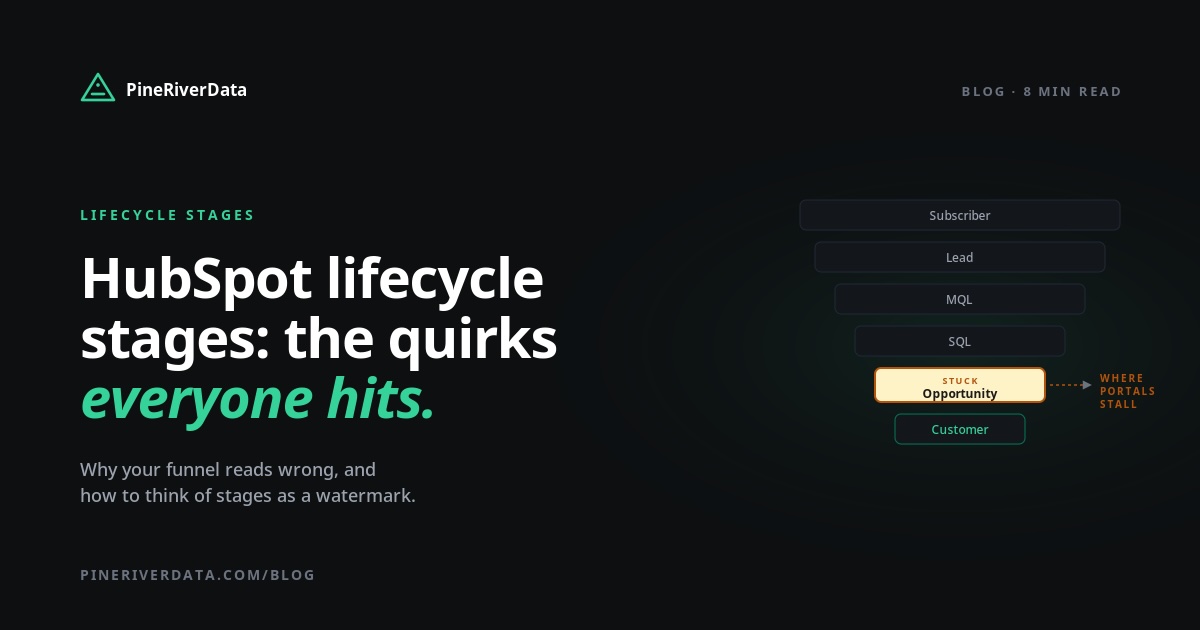
Walk through your CRM: how many contacts are at "Opportunity" stage with no open deal? How many "Customers" have had no logged interaction in 24 months? In most portals, the answer is a lot more than you'd think. Those contacts hit Opportunity at some point — maybe years ago — and never got demoted. The forward-only design means HubSpot won't move them on its own.
The result: every reported conversion rate is reading off contaminated data. Your "Lead → Opportunity" rate looks healthy because it includes years of accumulated Opportunities, but very few of those are real opportunities anymore. Pipeline planning, sales hiring, quota setting — all happen against numbers that aren't quite what they appear to be.
This is what I call stage inflation. Fixing it requires two things: a one-off cleanup (manually demote contaminated stages back to a realistic state), and a forward-looking demotion workflow that catches new contamination as it appears. Something like "if Opportunity for 90+ days with no deal activity, set lead status to Inactive and surface for review".
Stage inflation is one of the 26 things the free CRM audit quantifies for your portal — it'll tell you how many contacts are stuck at stages their activity doesn't support, with examples. Takes 90 seconds.
Quirk #5 — Bulk updates that hit the backwards-block
You're trying to bulk-update 600 contacts from "Other" to "Customer" via a workflow. Half of them go through. The other half throw the backwards error because someone, somewhere along the way, set them to "Customer" already and the workflow can't move them "back" to "Other" before re-promoting.
The community-suggested fix: rearrange the order of lifecycle stages temporarily so "Other" comes before "Customer", run the workflow, then put the order back. Don't do this. Reordering lifecycle stages affects every report, every workflow, every funnel calculation in your portal. Even if you switch it back, you'll get phantom artefacts in date-range reports.
The cleaner fix: a two-step "Edit record" workflow that explicitly clears the lifecycle stage value, then sets it. It's ugly but contained — only the contacts you're targeting are affected, and the historical reports for everyone else stay clean.
Even better, before you do any of this: ask whether you actually need to demote those contacts at all. Often the right answer is to leave the lifecycle stage where it is and update a different field (lead status, or a custom segment property) to drive the downstream behaviour you actually need.
Quirk #6 — Lifecycle stage sync vs. manual: which wins?
HubSpot has a built-in setting that automatically syncs lifecycle stages between contacts and their associated companies. It's on by default. It can also be on at the same time as your custom lifecycle workflows. When both run, you get race conditions: workflows fire, the sync overwrites them, your custom logic loses.
Pick one source of truth. If you're managing lifecycle stages with custom workflows, disable the default automation in Settings → Objects → Contacts → Lifecycle Stages. If you're relying on the default automation, don't fight it with custom workflows that contradict it. Running both creates exactly the kind of chaos that takes a full day of property-history forensics to untangle.
Quirk #7 — Reporting doesn't match what you see
You see a contact at MQL on their record. The lifecycle funnel report doesn't count them. Or the report counts them at SQL even though their current stage is Lead.
What's happening: lifecycle stage history isn't always tracked at the granularity you'd expect. The standard "Lifecycle Stage" property reflects current state. If you want historical-state reporting, you need to use "First Touch Lifecycle Stage", the stage-specific date stamp properties (like "Became MQL Date"), or build custom date-stamp properties yourself.
The right model for funnel reporting: use date-stamp properties (which fire when a contact first enters each stage and persist forever) rather than current-state properties. That way your "MQL volume in March" report counts everyone who became an MQL in March, regardless of where they are now.
A better mental model: lifecycle as a watermark
Most of these quirks resolve themselves if you adopt one shift in thinking: treat lifecycle stage as a watermark, not a current state.
Lifecycle stage = "the furthest point this contact has ever reached in our funnel." It only goes forward. You don't undo it.
Current commercial state = "where this contact is in our active pipeline right now." This belongs in a separate field — Lead Status, a custom segment property, a stage-of-engagement field. It can move freely in any direction.
When you separate the two, the system stops fighting you. Reports stay accurate. Workflows stop throwing errors. Cool-down logic, re-engagement, disqualification, re-categorisation — all become straightforward, because none of them need to touch the lifecycle stage field.
How to audit your lifecycle setup in 15 minutes
Four checks you can run right now:
- Count contamination. Filter contacts where lifecycle stage = Opportunity AND associated open deals = 0. If the result is more than 5% of your Opportunity-stage contacts, you have stage inflation.
- Look for skipped stages. Count contacts who became SQL in the last 30 days. Compare to contacts who became MQL in the same period. If SQL is greater than MQL, your forms are setting stages directly.
- Check for sync conflicts. Open
Settings → Objects → Contacts → Lifecycle Stages. If both the default automation and custom workflows are active, you have race conditions waiting to happen. - Spot demotion gaps. Filter contacts at "Customer" stage with no logged interaction in 24+ months. If that number is climbing every quarter, you have no demotion strategy.
These four checks cover the lifecycle category in isolation. For the full picture — including forecast reliability, pipeline hygiene, stale records and system health — the complete five-category audit methodology walks through all five areas with scoring and a prioritised fix sequence.
All four of these checks (plus 22 others) are in the free PineRiverData CRM audit. Read-only HubSpot OAuth, results by email, no signup. Takes 90 seconds and gives you a quantified score.
What to do next
The order matters: settle your mental model first (lifecycle = watermark, current state = separate field), then audit your current state, then fix the worst stage inflation, then automate prevention. Skipping the first step is how you end up making the same fixes again next quarter.
If lifecycle is one of several CRM issues you're trying to get a handle on, the broader methodology — covering forecast reliability, pipeline hygiene, stale records and system health alongside lifecycle — lives in the companion piece, How to Audit Your HubSpot CRM.

Frequently asked questions
Why does HubSpot prevent lifecycle stages from going backwards?
HubSpot's design treats lifecycle stage as a watermark — the furthest point a contact has reached in your funnel. This protects funnel-stage reporting from being silently corrupted when a contact takes a step back. The 'harmless error' you see in workflow logs is the system enforcing that constraint. To override it, you have to explicitly clear the value first using the Edit record workflow action, then set the new stage. This works but breaks downstream reports that rely on stage history.
How do I fix a HubSpot workflow that throws a lifecycle stage error?
The error means the workflow is trying to set a contact to a stage earlier than their current one. Don't fix this by adding 'Clear property value' — that breaks reports. Instead, change the workflow's enrollment criteria so only contacts whose current lifecycle stage is empty, Subscriber or Lead can enter. The error disappears because the workflow no longer attempts an invalid update.
Why is my form setting contacts directly to SQL, skipping MQL?
HubSpot forms can update lifecycle stage directly via form settings. If a form is configured to set 'Sales Qualified Lead' on submission, contacts skip MQL entirely. The fix is to have forms set Lead Status or a custom property, not lifecycle stage, and then use a separate workflow to qualify contacts through stages with proper criteria.
How do I move a contact backwards in HubSpot lifecycle stages?
You technically can, by using an Edit record workflow action to first clear the lifecycle stage value, then set it to the desired earlier stage. But this is rarely the right answer. Better practice: leave the lifecycle stage as the highest stage the contact reached (a watermark), and use a separate field — like Cool Down Status or Re-engagement Stage — to track their current commercial state. That keeps funnel reports accurate.
What's stage inflation in HubSpot?
Stage inflation is when contacts sit at lifecycle stages their current activity doesn't support — contacts marked Opportunity with no open deal, or Customer with no contact in 24 months. It happens because HubSpot lifecycle stage is forward-only and rarely demoted automatically. The result: every reported conversion rate is reading off contaminated data. Auditing for it is the first step; setting up demotion workflows is the cure.
Should I use HubSpot's built-in lifecycle automation or a custom workflow?
Pick one. Don't use both. Built-in lifecycle automation is fast but inflexible. Custom workflows are slower but precise. If you choose custom, disable the default automation in Settings → Objects → Contacts → Lifecycle Stages. Running both creates race conditions where the built-in updates fire before your custom workflow can apply its logic.
- HubSpot
- Lifecycle Stages
- RevOps
- Workflows
Working on something similar?
Let's talk about the workflow that's costing your team the most hours.
30-minute call. No pitch. Walk away with a build estimate either way.